The product's own user guide. Every screen shows Aldervane Health, a fictional organization. All data is synthetic.
3. A walkthrough: from a news story to your own server
Where: it starts on the Executive Brief, and takes four clicks.
Why this chapter exists
Security news is constant, and most of it isn't about you. The hard part is telling, quickly, which stories are, and then getting from "this is about us" to "this is the system, this is where it sits, and this is what to do."
This chapter follows one real-shaped example through Ciphren, from a headline on the Executive Brief to the exact server it concerns. The same path works for any story that names a vulnerability.
Step 1: a story at the top of the brief
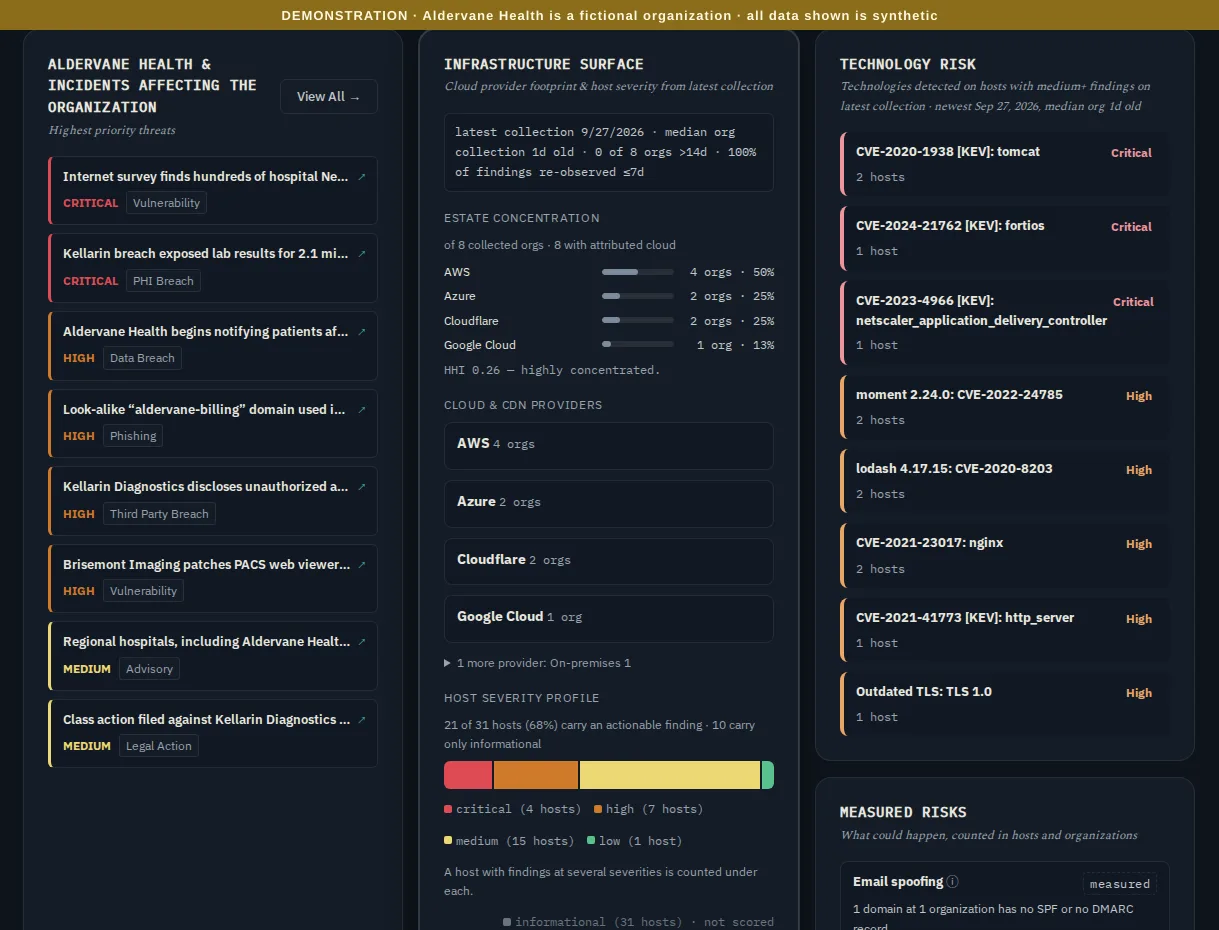
The Executive Brief lists the highest-priority threats: stories and advisories that involve your organization or the organizations you depend on, most severe first. The top one reads:
Internet survey finds hundreds of hospital NetScaler gateways still unpatched, Aldervane Health among them
It's marked critical and typed vulnerability. It names Aldervane directly. That's worth a look.
Beside it, the Technology risk panel already agrees. CVE-2023-4966 [KEV]: netscaler…, critical, 1 host. A CVE
is the public identifier every known vulnerability gets. [KEV] means it's on CISA's list of vulnerabilities being
exploited in the wild.
Step 2: the story, and the line that connects it to you
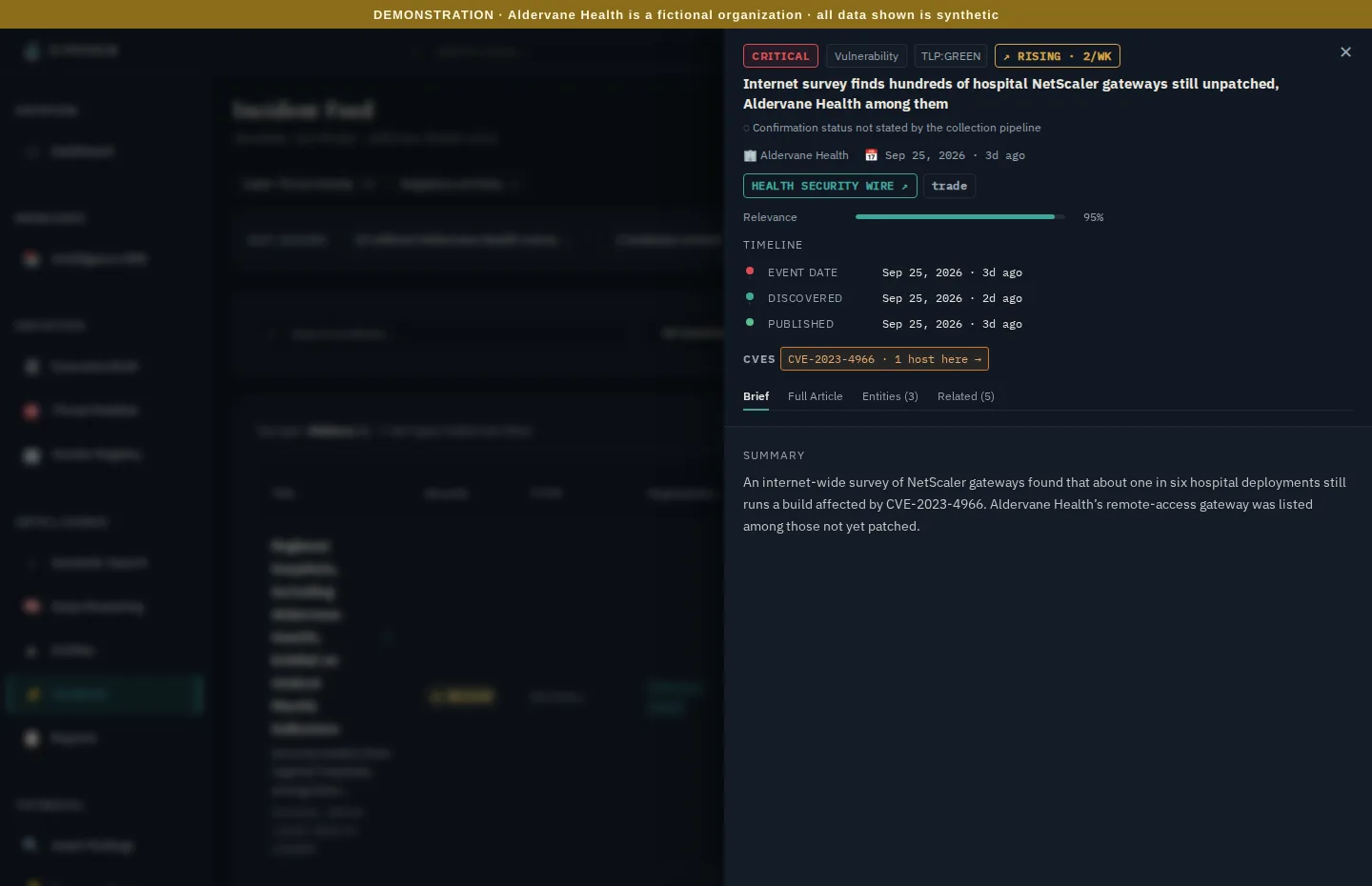
Clicking the story opens it. Beyond the summary and source, three parts matter here:
- The timeline: when the event happened, when it was discovered and when it was published. Here the gap is a day. When it's weeks, the exposure was public long before you heard about it.
- "Rising · 2/wk": stories like this one are becoming more frequent. It's a trend worth watching, not just an item.
- CVEs · CVE-2023-4966 · 1 host here →: this is the connection. The story names a vulnerability, and Ciphren has checked your collected systems for it: one of your hosts carries it. A CVE that none of your hosts carries is still shown, without the "here", because knowing you're not affected is information too.
Why this matters. You don't have to find the CVE in the story and then search your inventory for it. The match is already made, against what was actually observed on your systems in the last 30 days.
"Confirmation status not stated by the collection pipeline", under the title, is about the story, not your hosts. Some sources say whether an incident has been confirmed by the affected organization; this one doesn't say either way. It's shown so an unconfirmed report never reads as a confirmed one.
Step 3: the finding
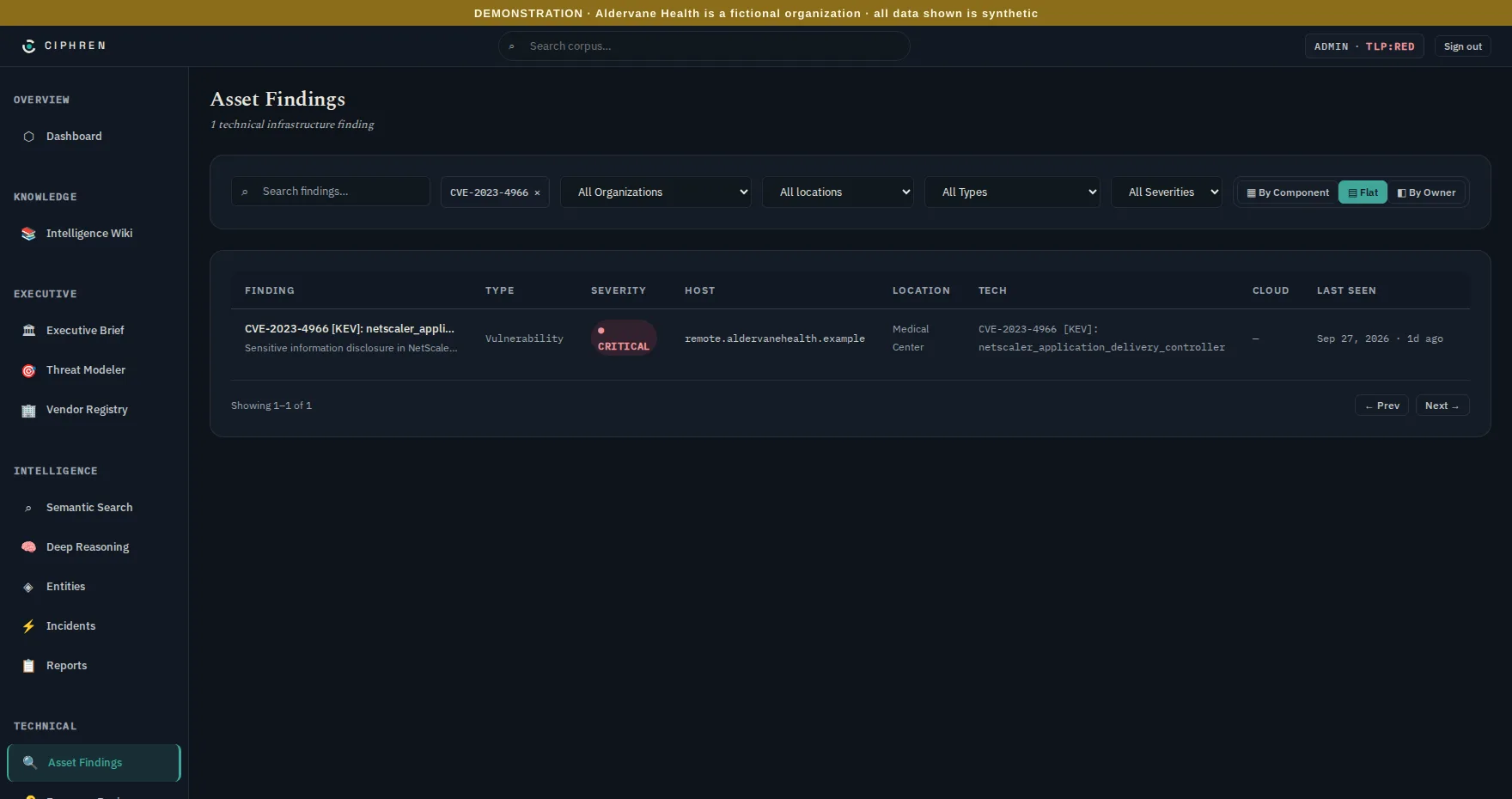
The chip opens every finding that carries that CVE: here, exactly one. The filter shows at the top as
CVE-2023-4966 ✕, so you always know why the list is short. Click the ✕ to see everything again.
Step 4: the details, and where it is
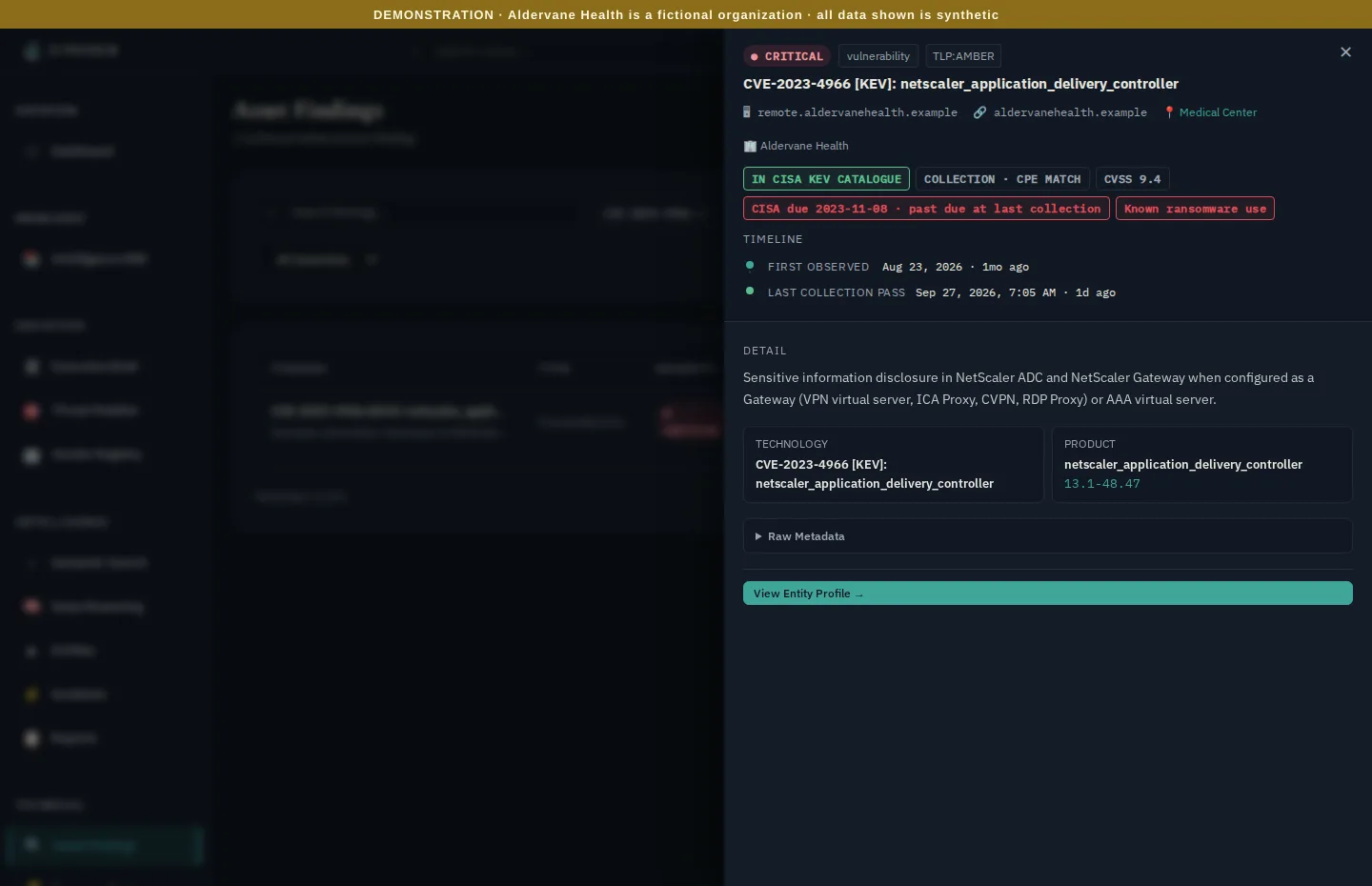
Opening the finding shows everything known about this weakness on this system:
- The host:
remote.aldervanehealth.example. As its name suggests, it's the remote-access gateway. - 📍 Medical Center: the location it belongs to (chapter 5). The name links to everything else at that site, for whoever owns it.
- In CISA KEV catalogue: actively exploited.
- CISA due … · past due: for U.S. federal agencies, CISA sets a date by which a KEV flaw must be fixed. It's a useful benchmark for everyone, and this one is well past.
- Known ransomware use: CISA has recorded ransomware groups using this flaw.
- CVSS 9.4: the standard severity score, from 0 to 10.
- Collection · CPE match: how the finding was made. CPE is the standard name for a software product and
version. A CPE match means the system reported a product and version (here, NetScaler build
13.1-48.47) known to carry the flaw. It's strong evidence, but not proof: a vendor can ship a fix without changing the version a system reports. This finding is not confirmed (chapter 2 explains the difference), so the first step is for the owner to check the gateway's real patch level. - First observed / last collection: how long this has been visible from outside. This one has been there a month.
What you'd do next
In four clicks (the story, its CVE chip, the finding, and then its location), you've gone from a headline to a named system at a named site, with the evidence an engineer needs:
- Assign it to whoever runs remote access at the Medical Center, today. Actively exploited, known ransomware use and past due all say the same thing. Their first job is to confirm the real patch level.
- Patch, then check. After the fix, the next collection should stop seeing the vulnerable version. The finding will close, and Since last collection on the Executive Brief will count it.
- Treat it as possibly used, not just possible. For an edge device with known ransomware use, the vendor's advice usually includes resetting sessions and checking for signs of access. The story's full article (the Full article tab) often links to that advice.
The same four steps work from any direction: a finding on the brief, a location page, or a supplier's page. Each page links to the next, so you rarely need to search.
Start with thirty minutes