The product's own user guide. Every screen shows Aldervane Health, a fictional organization. All data is synthetic.
7. Incidents and narratives
The question it answers
What's happening in the world that involves us, our suppliers, or organizations like us, and is it getting worse?
Findings describe your systems. Incidents describe events: a breach at a supplier, a vulnerability being exploited across your sector, an advisory, a phishing campaign using your name, a lawsuit. Ciphren collects news and advisories, keeps the ones that matter to you, and links each to the organizations, people and systems it involves.
The incident feed
Where: navigation ▸ Incidents. Narratives are under Intelligence Wiki ▸ Narratives.
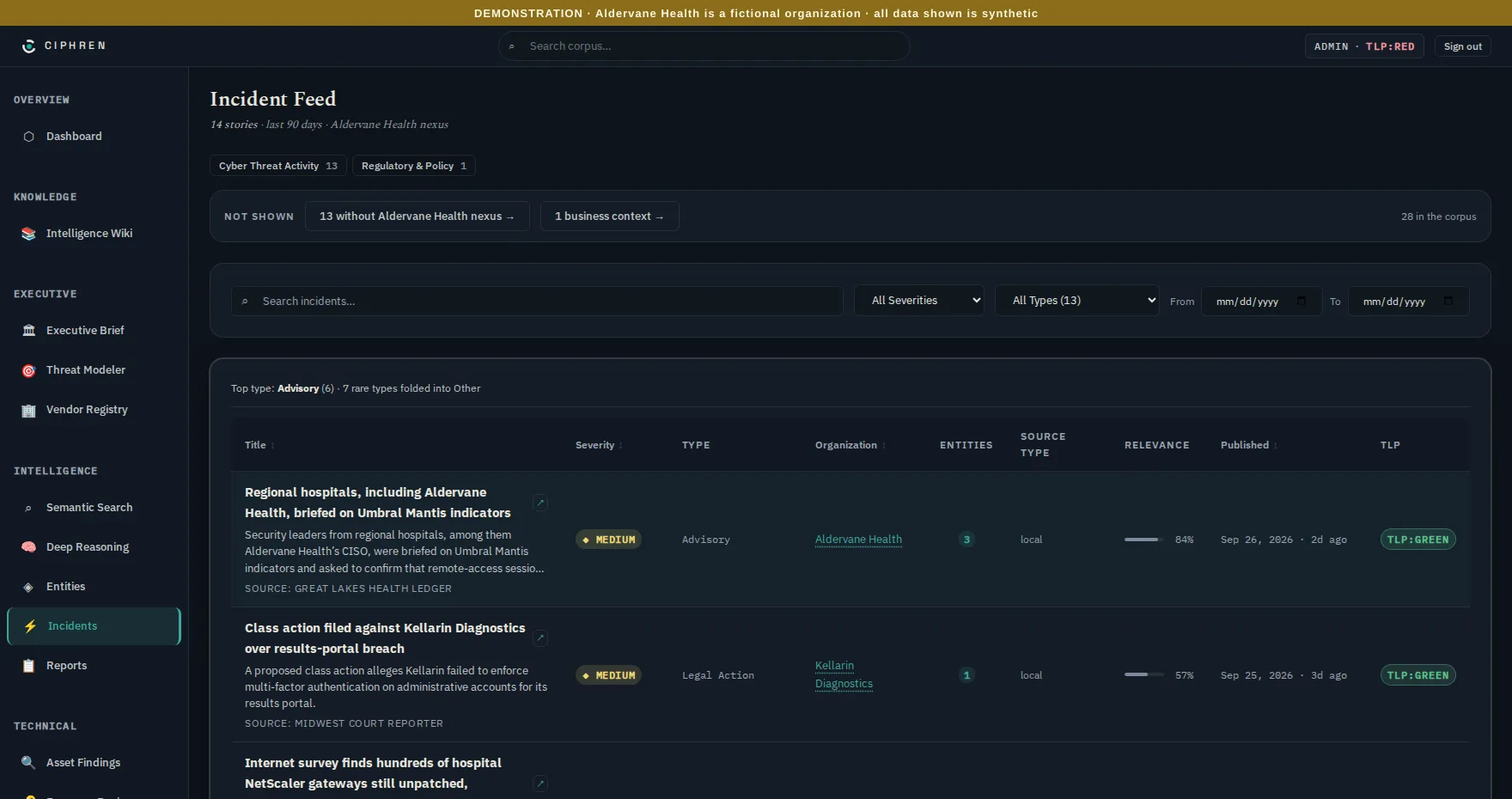
Each row is one story: title, severity, type, the organization it's about, how many entities it involves, the kind of source, its relevance, and when it was published. Click a row to open it (chapter 3 shows one).
The scope bar at the top says what you're looking at, and what's been left out:
- "14 stories · last 90 days · Aldervane Health nexus": by default the feed shows stories with a nexus to you. That means stories that name your organization or one whose systems Ciphren collects on, such as your suppliers.
- "13 without Aldervane Health nexus →": stories that matched your sector but name none of those organizations. They're one click away, never hidden.
- "1 business context →": routine business news, such as a supplier's expansion or a change of leadership, kept apart so it doesn't bury threats. Aldervane's one is Cobbleway Rx expanding its pharmacy benefits platform. When there is none, the link isn't shown.
- "28 in the corpus": everything held, for reference.
Why a nexus. A sector feed without it is mostly noise: every hospital breach in the country, most of which don't touch you. The nexus keeps the default view to what could plausibly reach you, and says exactly how much it left out.
The tabs (Cyber Threat Activity, Regulatory & Policy, and others when there's something in them) keep kinds of story apart, because a critical regulatory change and a critical exploit aren't the same kind of critical. Each tab explains what its severities mean.
Filters narrow by severity, type and date. Types with only one story are folded into Other, so the list of types stays short.
Reading a row:
- Relevance: how confident the collection's analysis is that the story concerns you, as a percentage. It's scored automatically, story by story, not by a person.
- Source type: where it came from: a local outlet, a trade publication, or a vendor bulletin. Trade and vendor sources tend to be more technical, and local ones closer to the ground.
- Duplicates folded: when many outlets carry the same story, it's shown once, with a count of the copies.
An incident's details
Opening a story shows its timeline (event, discovered, published), a summary, the entities involved, and related stories. Two parts are especially useful:
- The CVE chips connect a story to your own hosts. "CVE-… · 1 host here →" opens the affected findings. This is the walkthrough in chapter 3.
- "Rising · 2/wk": the story belongs to a narrative that's gaining pace (below).
Narratives: how stories develop
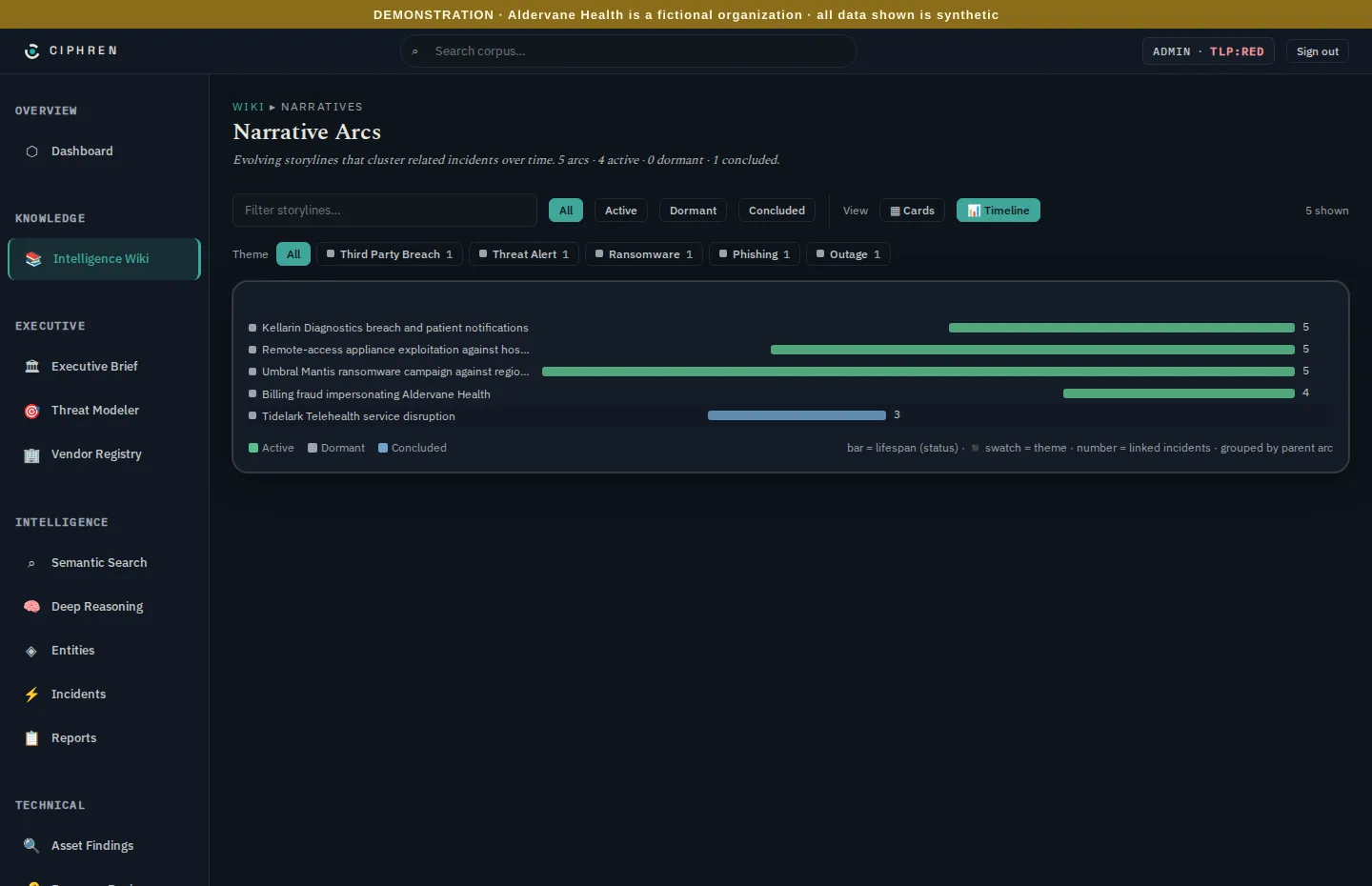
Security events rarely come alone. A breach at a supplier is followed by notifications, then lawsuits, then regulators. A ransomware group works through a sector one organization at a time. Narrative arcs group related stories into one storyline, and follow it over time:
- Active, dormant or concluded: whether the storyline is still producing news.
- Theme: what kind of storyline it is, such as a third-party breach, ransomware or phishing.
- Timeline view: each arc as a bar across the period it has run, so you can see which are still growing.
Why it matters. A single story is easy to dismiss. A storyline that's moving closer, from "hospitals in the region" to "a hospital like ours" to "our supplier", is the early warning.
What to do with it
- Daily or weekly: skim the feed's default view. It's short on purpose.
- When a supplier appears: open its vendor page (chapter 6) and check what it holds for you.
- When an arc is rising: read its stories in order. Arcs that move closer to you belong in the next leadership briefing, alongside the Executive Brief's PIRs (chapter 2).