The product's own user guide. Every screen shows Aldervane Health, a fictional organization. All data is synthetic.
11. Reports
Where: navigation ▸ Reports.
The question it answers
What happened this week, in a form I can forward?
Not everyone will log in. Reports are written briefings, such as the weekly threat briefing, that summarise what changed and what to do, in prose you can send to people who never open Ciphren.
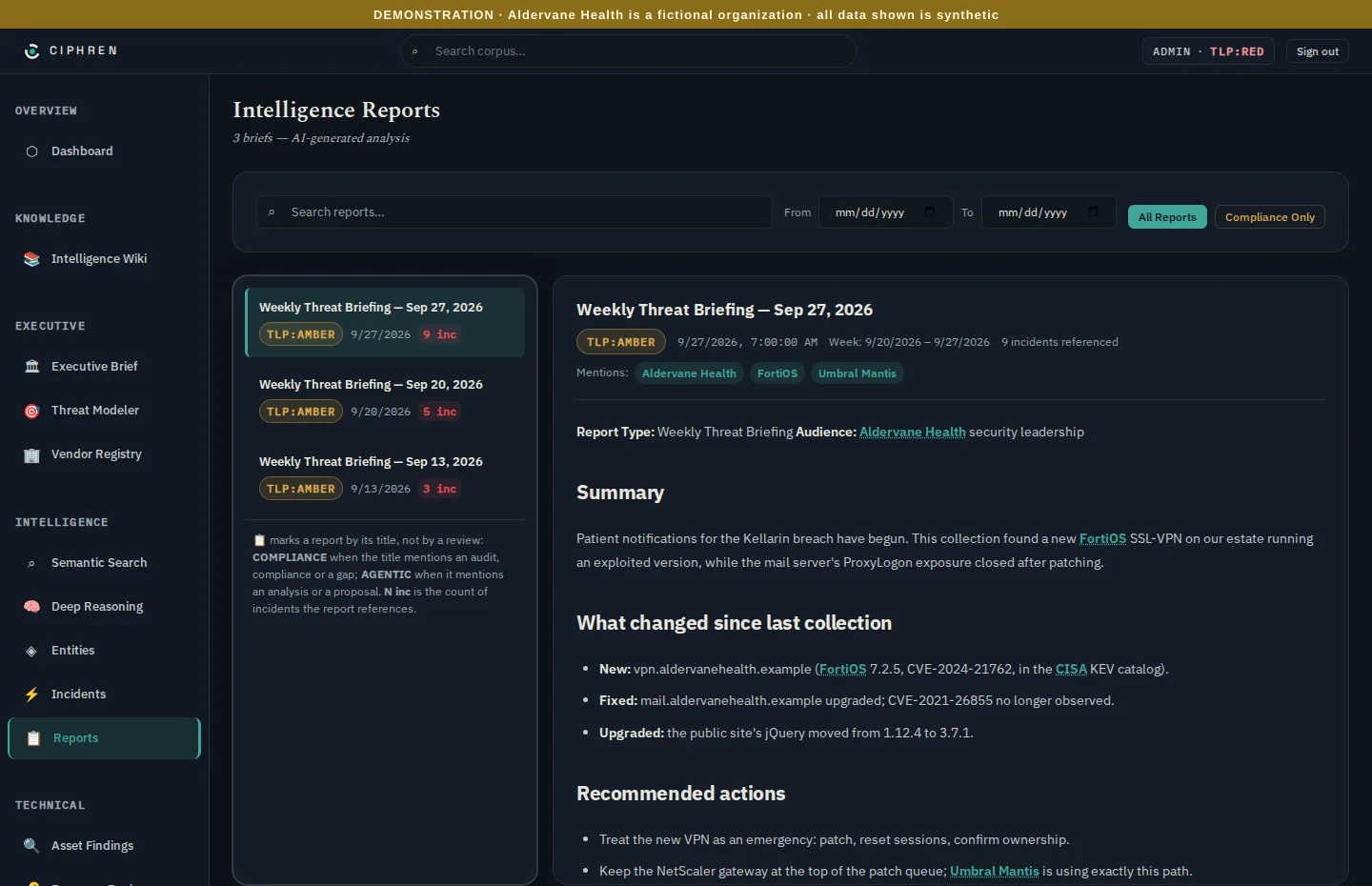
These briefings are written by an AI model from the collection's findings and incidents, as the page's subtitle says ("AI-generated analysis"). The organizations, technologies and threat groups they mention link to their profiles. Chapter 10 explains what an AI-written briefing can and can't do, and where the model runs.
Reading a briefing
Each weekly briefing covers one collection week and follows the same shape:
- Summary: the week in two or three sentences.
- What changed since last collection: what's new (here, a remote-access VPN that appeared running an exploited version), what's fixed (a mail server patched, its vulnerability no longer observed), and what was upgraded.
- Recommended actions: in order, each with its reason.
Mentions at the top link to the organizations, technologies and threat groups the briefing discusses. Its
marking (for example TLP:AMBER) says how widely it may be shared. The glossary explains TLP.
The list on the left filters by date or words. Compliance only shows reports whose titles mention an audit, compliance or a gap. The note under the list says so: a report is sorted by its title, not by anyone reviewing it. N inc is how many incidents a report draws on.
What to do with it
- Forward the weekly briefing to leadership, within its marking. Its What changed section is the one that shows progress: things fixed, not just things found.
- Keep them: a run of weekly briefings shows how fast new exposure is dealt with, which is useful evidence for audits and insurers.